












📱 Introduction
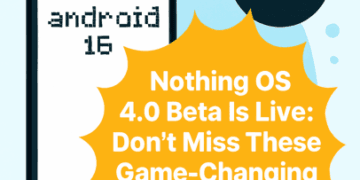
Nothing has officially rolled out the Nothing OS 4.0 Open Beta, offering users a sneak peek into its upcoming Android 16-based operating system. Available for Phone (3), Phone (2), and Phone (2a), this update introduces a host of new features—from AI-powered dashboards to camera enhancements and lock screen customization. If you’re a Nothing user or tech enthusiast, this beta is your chance to experience the future of Nothing OS before its public release.
🆕 What’s New in Nothing OS 4.0 Open Beta?
The update is packed with thoughtful refinements and bold innovations. Here’s a breakdown of the key features:
1. AI Usage Dashboard
- Located in Essential Space, this dashboard provides transparency over large language model (LLM) activity.
- Users can monitor AI behavior and resource usage in real-time.
2. Essential Apps Suite
- Generate personalized apps using natural language commands.
- Share and discover community-created apps in the new Playground section.
3. Stretch Camera Preset
- Exclusive to Phone (2) and Phone (2a).
- Developed in collaboration with photographer Jordan Hemingway.
- Enhances photos with richer shadows and extended highlights.
4. Lock Screen & AOD Enhancements
- New clock styles and widget placements.
- Improved responsiveness and brightness control.
5. System-Level Optimizations
- Faster app startup and smoother transitions.
- Improved Bluetooth, Wi-Fi, and network stability.
6. Extra Dark Mode
- New Quick Settings tile for toggling ultra-dark UI.
- Better contrast and battery efficiency on AMOLED screens.
📲 Eligible Devices
The beta is currently available for:
- Nothing Phone (3)
- Nothing Phone (2)
- Nothing Phone (2a)
Note: Phone (3a) series will receive the update later in October. No confirmation yet for CMF-branded devices.
📥 How to Download & Install Nothing OS 4.0 Beta
Follow these steps to install the beta update safely:
Step-by-Step Guide
- Backup your data (photos, contacts, call logs, etc.)
- Ensure your device is running the latest stable build of Nothing OS 3.5
- Download the Beta Updates Hub .apk from Nothing’s official site
- Install the .apk and navigate to:
Settings > System > Nothing Beta Hub - Tap Join Beta → then Go to Update
- If it fails, manually check:
Settings > System > System Updates
Rollback Instructions
- If you face issues, download the rollback package from Nothing’s website.
- Factory reset may be required to revert to OS 3.5.
Feature Details Update Name Nothing OS 4.0 Open Beta Base OS Android 16 Eligible Devices Phone (3), Phone (2), Phone (2a) Key Features AI Dashboard, Camera Presets, Lock Screen Widgets Camera Upgrade Stretch Preset by Jordan Hemingway System Optimizations Faster apps, better RAM & battery Connectivity Improved Bluetooth, Wi-Fi, network Dark Mode Extra Dark Mode toggle Download Method Beta Hub .apk from Nothing site Install Path Settings → System → Beta Hub Rollback Option Factory reset required Beta Deadline October 14, 2025 Community Sharing Playground for custom apps Feedback Channel Settings → System → Feedback
⚙️ Performance Improvements
Nothing OS 4.0 focuses heavily on refining the user experience:
- Reduced app launch times
- Improved RAM management
- Better battery optimization during idle and active use
- Enhanced Bluetooth audio stability
- Faster Wi-Fi handoff and roaming
📸 Camera & UI Design
The update introduces the TrueLens Engine for better image processing and gallery management. Users can expect:
- Sharper image rendering
- New camera presets and filters
- Smarter gallery layout with AI-powered sorting
UI elements have been redesigned for consistency and fluidity. Quick Settings, lock screen widgets, and notification shade now feel more cohesive.
🌐 Community Engagement
Nothing encourages users to share feedback via:
Settings > System > Feedback- Nothing Community Forum
Users can also share their custom Essential Apps and camera presets in the Playground, fostering a collaborative ecosystem.
⏳ Deadline to Join Beta
October 14, 2025 is the last date to register for the Open Beta. After this, OTA terminals will be closed and new sign-ups won’t be accepted.
🗣️ Final Thoughts
Nothing OS 4.0 Open Beta is a bold leap toward AI-powered personalization and performance refinement. From camera creativity to system transparency, the update reflects Nothing’s commitment to user-centric innovation. If you’re a Nothing user, this beta is worth exploring—just make sure to back up your data and proceed with caution.